
Remove intrusive ads from the websites you visit and protect yourself from online trackers which leak your web surfing history to third-party actors. Eliminate distracting banners, pop-ups, video ads. Use Parental Control to block specific resources and types of content.
Regarded by many as the best ad blocker out there, AdGuard comes with enough extra features to beat its competitors by a long shot. While other similar tools are but add-ons that work on specific browsers only, AdGuard is a standalone program that blocks all ads coming from both the Web and your installed apps, while offering parental control and privacy protection features at the same time.
AdGuard has all the pros and none of the cons other ad blockers suffer from. It is reasonably priced, it comes with a nice and intuitive interface, offers extra features that are hard to come by in its competitors, works equally fine on a single PC and a whole network of computers and devices, offers multi-platform solutions, and – most importantly – it does block all ads popping up on your screen, unless you ask it not to. Yes, you can filter the program’s ad blocking capabilities with a high level of flexibility, so that you can blacklist or whitelist your favorite sites and apps and even allow a reasonable amount of publicity if so desired.
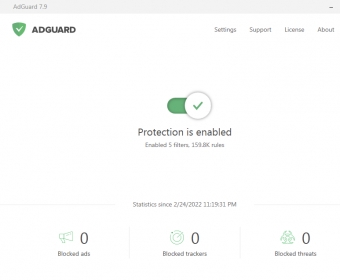
The program’s main interface will keep you informed about how many ads, trackers, and threats have been blocked since you enabled the program. It works seamlessly and silently in the background, and all you’ll see is a AdGuard icon floating on the webpages you visit, not only to reassure you but also to allow you to access the program’s extra options quickly and easily.
Among these options, you’ll find the Stealth Mode, which will protect your identity and personal information from trackers. You can even pretend you’re someone else, if you wish. Likewise, the Browsing Security block offers you features to prevent malicious software and phishing websites from stealing your data or turning you into another victim of fraud. Finally, its Parental Control capabilities will protect the youngest ones in the family from exactly the same threats and from unwanted or inappropriate content.
AdGuard comes in a variety of flavors that cover all possible platforms and configurations. There’s an AdGuard for your home, your network, and for your smartphones and tablets. You can try them all for free for a limited amount of time with no limitation in its functionality.





Comments (6)
If you still see ads on pages, report them to AdGuard from it's menu option.